

Nowadays, it's much easier to clean up your phone's memory using a free app, as modern tools identify unnecessary files and help free up space directly on your smartphone.
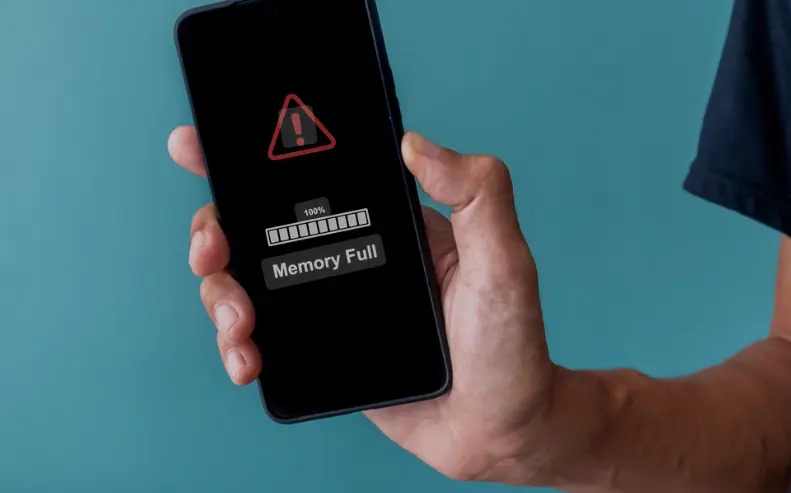
Furthermore, this type of application has become popular because photos, videos, downloads, apps, and temporary files are taking up more and more storage space. Therefore, cleaning tools make it easier to organize your device and allow you to find content that can be removed without having to manually search through various folders on your phone.
Therefore, whether at home, while traveling, at work, at college, or anywhere else, it's possible to quickly check the available storage. Even when a warning appears about insufficient space to install applications, record videos, or receive new files, a cleanup can help recover space without complicated procedures.
📱 Google Files: Clean up your phone and free up space for free.
First of all, the Files by Google It's a mobile application developed by Google for managing and organizing files on Android devices. In addition to allowing you to find documents, images, videos, and other content, the application has specific tools to identify files that can be deleted and, consequently, free up storage space on the device.
Furthermore, Google Files can be an interesting alternative for those looking for a Free app to clean your phone's memory. without needing to immediately hire a paid service. The app offers cleaning recommendations and can show temporary files, duplicate content, screenshots, and other items that may be unnecessarily taking up space.
On the other hand, it's important to understand that clearing "memory" usually means freeing up storage space. RAM, used by the system to run applications, works differently. Therefore, deleting files doesn't permanently increase the amount of available RAM, but freeing up storage can help the smartphone perform better when internal storage is very full.
How does Google Files work?
Next, after installing the app and opening Google Files, the user can access the area dedicated to cleaning. In this section, the app presents suggestions for files that can be reviewed before deletion. Thus, instead of simply deleting content automatically, the user can check what is taking up space and decide what they really want to remove.
In addition, one of the available functions is the identification of temporary files created by applications. This content can take up space over time, and therefore, removing it can be particularly useful for phones with more limited internal storage.
Furthermore, the app can help locate duplicate files, screenshots, and certain content recommended for deletion. This way, those who accumulate many received images, old documents, or downloaded files can quickly check what's taking up storage space before cleaning it up.
Main features of the application
Primarily, the cleaning feature is one of the highlights for those who want... Free up space on your phone for free.. The user can view organized recommendations and choose which files they want to delete. Therefore, the process can be simpler than opening multiple folders individually searching for old content.
In addition, Google Files also functions as a file manager. This allows you to search for photos, videos, and documents, organize content, rename files, and move specific items between folders.
On the other hand, the app isn't just for deleting files. Depending on the options available on the device, the user can also move content to other storage locations, helping to free up internal space without necessarily deleting important files.
In addition, the app offers file search, media viewing, and sharing features. Therefore, it can remain useful even after the cleanup is complete, functioning as a tool for managing the content stored on the device.
How to download for free on Android
First, Android users can search for Files by Google directly in Play Store. After locating the official app developed by Google LLC, simply tap the option to install the app and wait for the download.
Next, after completing the download, simply open the mobile app and allow the necessary access so that it can locate and organize the files stored on your device. Therefore, it is important to check the requested permissions and grant only those necessary to use the desired functions.
In addition, some functions may require specific permissions. Therefore, the user retains control over which accesses are granted to the application and can review these permissions later in the phone's settings.
Does Google Files work on iPhone?
On the other hand, the Google Files is primarily aimed at Android devices.. Therefore, anyone looking for this specific iPhone app should check its current availability on the App Store or use the storage management tools provided by iOS itself.
Still, this distinction is important to avoid downloading apps with similar names. Therefore, Android users should search for Google Files directly in the Play Store, always verifying that the developer listed is Google before installing the app.
How to start cleaning your cell phone
First, open Google Files and locate the option related to cleaning or freeing up space. Then, review the suggestions presented by the application. This way, you can view file categories before deciding what you want to delete.
Furthermore, it's worth starting with the files you easily recognize as unnecessary. Old screenshots, temporary files, downloads that are no longer used, and duplicate content can take up a considerable amount of storage after a few months of use.
However, before confirming any deletion, carefully check the selected files. Therefore, photos, videos, documents, and other important content should be reviewed before confirmation to avoid accidental data loss.
Free resources and potential limitations
Additionally, Google Files can be downloaded for free from the Play Store and offers its main management and cleanup tools without requiring a subscription to perform basic functions.
On the other hand, no cleaning app can transform a phone with little storage into a device with unlimited capacity. Therefore, if photos, videos, games, and apps are using practically all the available space, it may be necessary to remove larger files or transfer them to another location.
Furthermore, the results of the cleanup vary from device to device. A phone that accumulates many temporary files, downloads, and duplicate content may free up more space, while another device that is already organized may show few deletion recommendations.
Furthermore, the amount of space recovered depends directly on the existing files on the device. Therefore, there is no fixed amount of memory that will be freed up when using the application.
Security and privacy
Primarily, download the app only through Play Store This helps avoid modified versions or installation files found on unknown websites. Therefore, when searching for Files on Google, check the developer's name and use the official store to download it.
Furthermore, it is recommended to check the permissions requested by the application during installation and first use. Therefore, the user can understand what access is necessary for certain functions to work correctly.
On the other hand, even when using a well-known application, the user should carefully review the contents before deleting them. This way, professional documents, personal photos, college files, or important videos won't be accidentally removed during a more extensive cleanup.
Key features that make this app stand out.
First of all, the ability to view cleaning recommendations greatly simplifies the task of organizing your phone. Therefore, users who don't know exactly where files taking up space are located can find suggestions organized in a single area.
Furthermore, identifying duplicate content can be especially useful for those who receive multiple copies of the same file or save repeated images. This way, the user can review this content and decide which versions really need to remain stored on their smartphone.
Furthermore, another advantage lies in the ability to organize files by category and search for specific content. Therefore, when it's necessary to quickly locate a document, an old image, or a previously received file, the application can function as a central storage management hub.
In addition, Google Files also allows you to track the available space on your device. Therefore, after cleaning up, the user can check how much storage was recovered and how much remains occupied.
On the other hand, the app can be useful before performing tasks that require additional storage. Therefore, before recording a long video, installing a game, downloading files, or updating large applications, it's worth checking the available space and removing unnecessary content.
Tips for getting the most out of the app
First, keep Google Files updated through the Play Store. This way, you'll receive the latest versions released by the developer, including any potential improvements to functionality, interface, and bug fixes.
Furthermore, don't wait for your storage to be completely full before performing a scan. Therefore, opening the app periodically can make it easier to remove old downloads, screenshots, and other files before they accumulate in large quantities.
In fact, checking larger files can be a good strategy when you need to free up space quickly. This way, videos, downloads, and large documents can be more easily identified so that the user can analyze whether they really need to keep them on their phone.
On the other hand, back up important content before a major cleanup. This way, personal photos, documents, and important videos are protected in case any item is accidentally selected for deletion.
Additionally, review the permissions granted to the application periodically. Therefore, if any feature is not being used, you can check in the Android settings which accesses remain enabled and adjust them according to your preference.
Finally, avoid apps or APK files that promise miraculous results, such as multiplying RAM or instantly making any phone much faster. In this way, to do the... Download Google Files, It's always better to look for the official app directly on the Play Store.
Conclusion
In summary, the Files by Google It's a practical option for those looking for a Free app to clean your phone's memory., This is especially true when the goal is to free up storage by removing temporary files, duplicate content, screenshots, and other unnecessary items. Furthermore, its organizational tools help locate and manage files directly from your smartphone.
Finally, Android users can search for Google Files on Play Store, Download the app for free and start checking the available storage on your device. Therefore, if your phone is running out of space for photos, videos, apps, or new downloads, installing the app and reviewing its cleaning recommendations can be a simple way to organize your device and reclaim space.