

Want to create a video with your cell phone photos and don't know where to start? Then you need to know the apps to make videos with photos and music.
Therefore, to help you understand more about the apps to make videos with photos and music, we prepared today's article on the subject. Want to know more? So follow along now!
What are the best apps for making videos with photos and music?
InShot
This is a free photo video maker app that offers a wide range of options. It's comprehensive, intuitive, and has everything you could need, whether you're making personal and family videos, creating content for your social media, or creating videos for your business.
Music, effects, voiceover, photo editing (you can even easily remove the background), text, templates, and more. We found it really helpful that you can control the music volume independently for each clip.
GoPro Quik
Even though it's the app for GoPro cameras, you can make videos with it regardless of which camera or smartphone you took the photos with.
It's intuitive! You can add music, change the format, choose from different templates, or set the duration.
The advantage is that it's pretty much automatic; you select the photos and choose a theme, and that's it. If you're short on time, this is the editor for you.
Filmora
This photo video maker app is sure to delight budding YouTubers and TikTokers. It features tons of filters, effects, stickers, and more. Let your creativity soar with all the options.
The watermark is quite discreet, although if you want to remove it, you can do so with the paid version. Once you're finished with the video, you can share it on your favorite social network.
VivaVideo
Perfect for making a quick and easy photo video. This comprehensive app offers many options for creative and dynamic videos, all while being highly automated. It also allows you to export your videos as GIFs.
The only downside is that you have to purchase the paid version to remove the watermark. But if you don't mind, it's an excellent app.
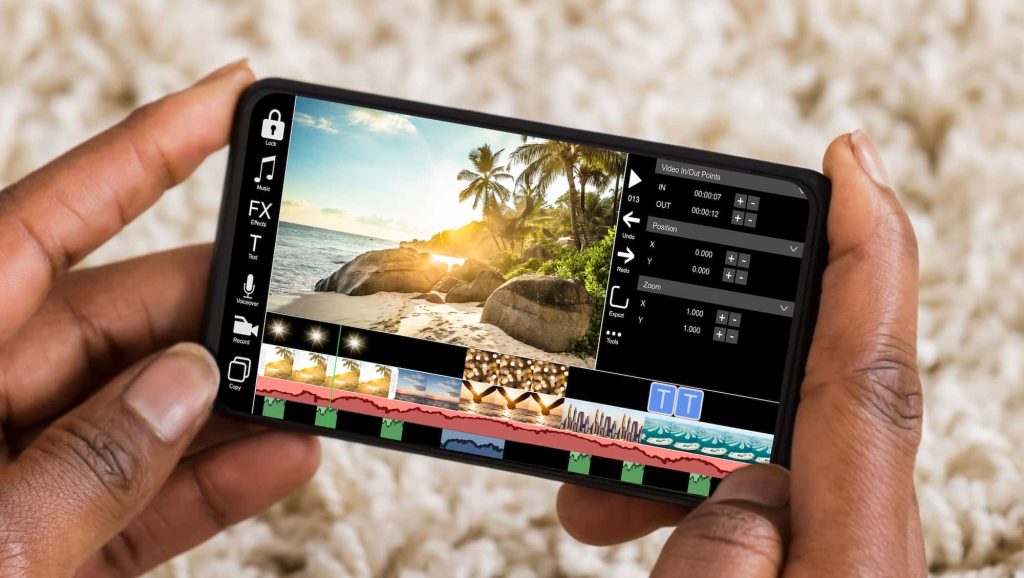
Kinemaster
With this application, you work horizontally. After clicking Create new project, you choose the name, format, display mode, duration of each photo, and the transition. Then, select and add photos.
The process is slower and less automatic, although it also allows for greater control.
You can add voice and music, although you must have this saved or go to the resource store and download the tracks one by one (there are also free options).
It's an excellent app for making videos with photos and music, although it requires some time.
Would you like to know more about the best apps to make videos with photos and music? So be sure to follow the other articles on the blog, we have lots of other news for you!
